SSL Toolkit
Everyday certificate work on the Mac: check a server's TLS, inspect certificates, keys and requests, build chains, convert formats, query revocation, and the Base64, checksum and random utilities that go with it, with OpenSSL and LibreSSL built in.
macOS 26+
Features
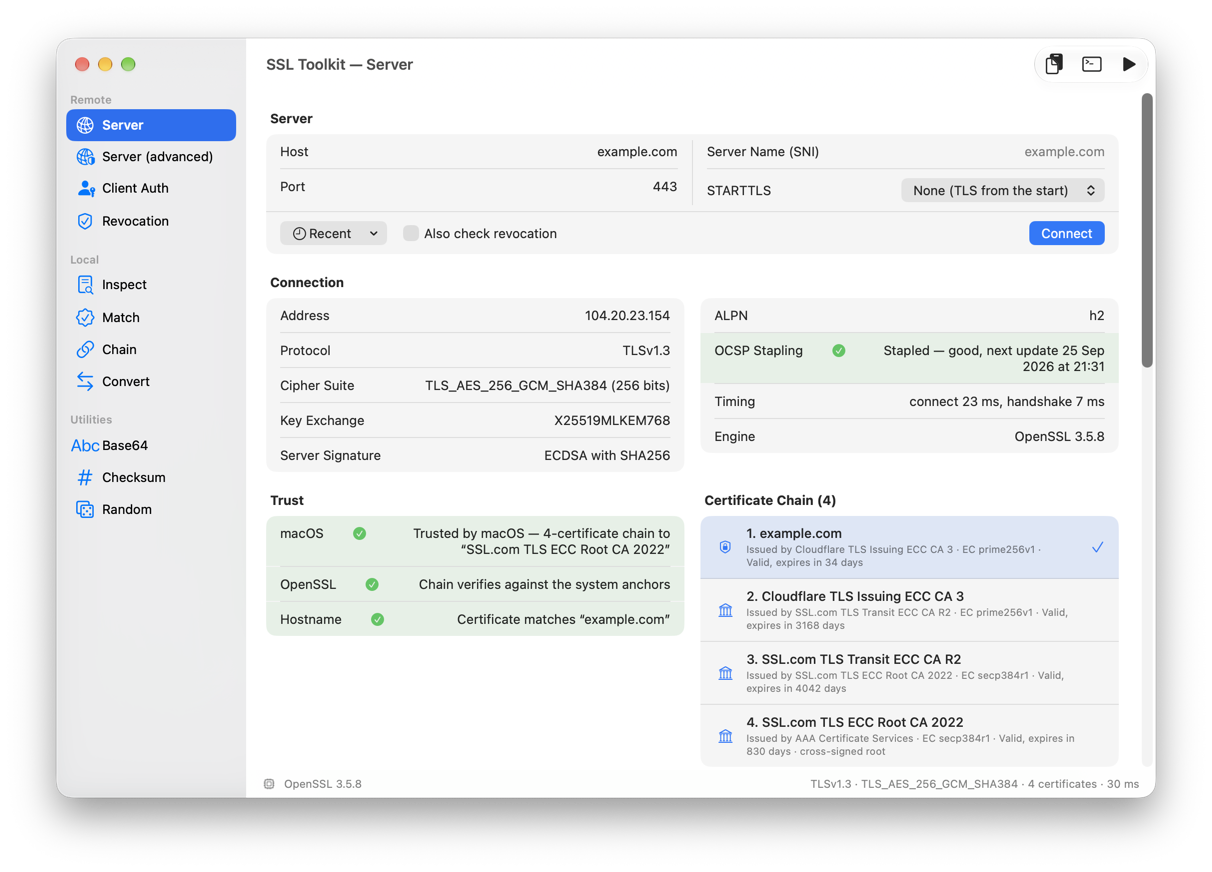
- Server: connect to any host, TLS from the start or STARTTLS for SMTP, IMAP, POP3, FTP, XMPP and more, and see the protocol, cipher, key-exchange group, OCSP stapling, the full chain and two trust verdicts, macOS's and the engine's. Paste a URL and host, port and protocol fill themselves in. An “Also check revocation” switch adds the OCSP and CRL verdict to the Trust card.
- When a handshake fails, a second attempt with TLS 1.0 and legacy ciphers says what the server can do and why modern clients refuse it. A Settings option shows the trust root the chain was verified through, which the server never sends, as its own row: read it, copy it or save it.
- Server (advanced): connect to another address while keeping the host for SNI, verify against your own CA for a private PKI, and see which certificate a client without SNI gets. Apple's own rules for server certificates are checked and explained.
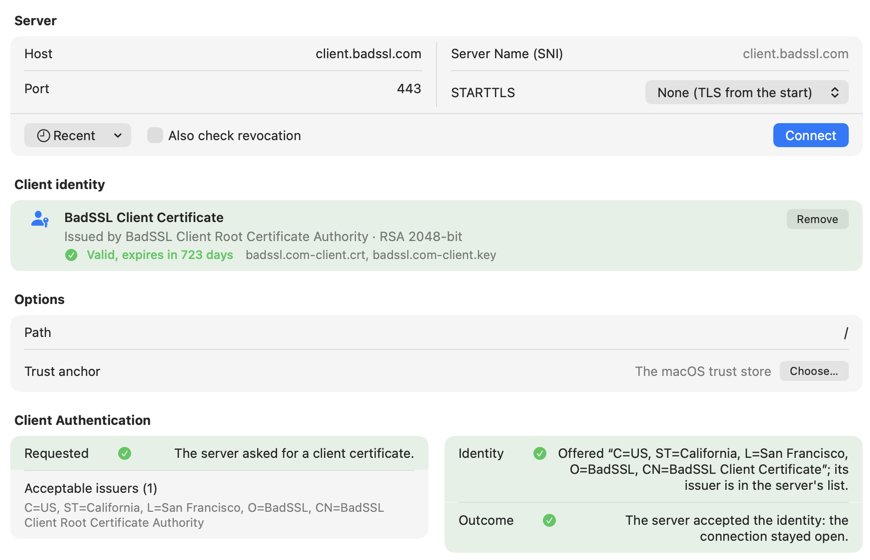
- Client Auth: mutual TLS with a PKCS#12, JKS or certificate and key; see whether the server asked for a client certificate, which issuers it accepts, and whether yours was accepted, then one GET with its response.
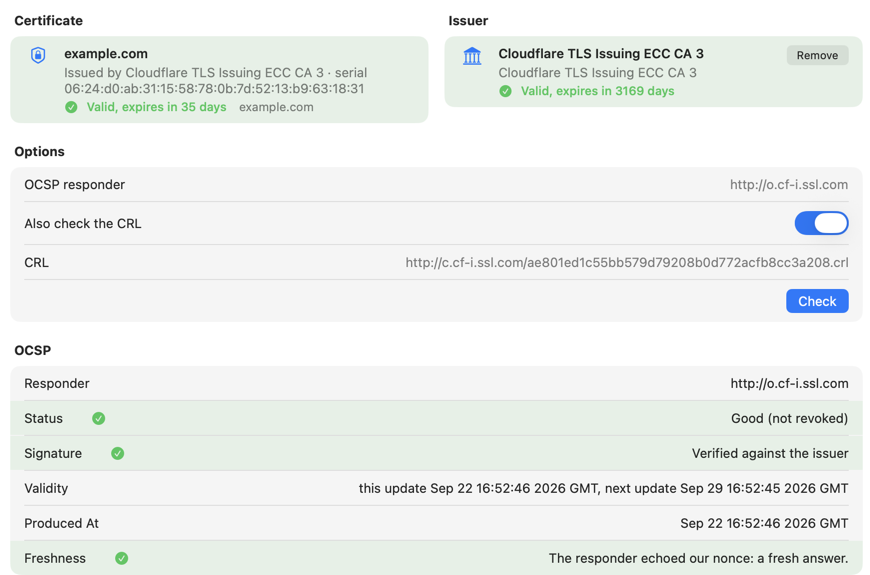
- Revocation: ask the OCSP responder, with a nonce and a verified signature, and download and check the CRL. Responder and CRL URLs can be overridden for private PKIs.
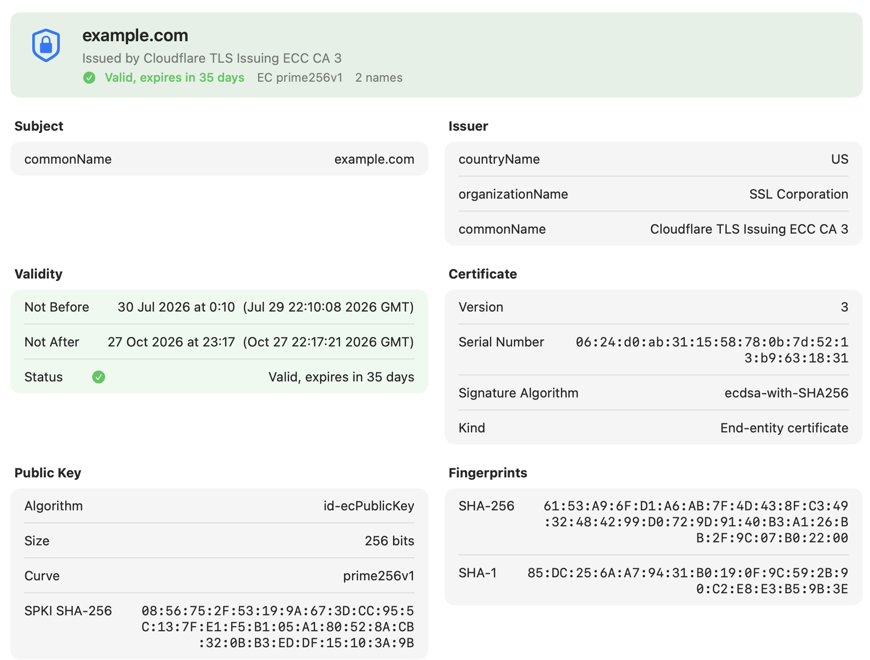
- Inspect: drop a certificate, private key, CSR, PKCS#7, PKCS#12 or JKS, PEM or DER, and read it as cards; the engine's raw output is one toggle away.
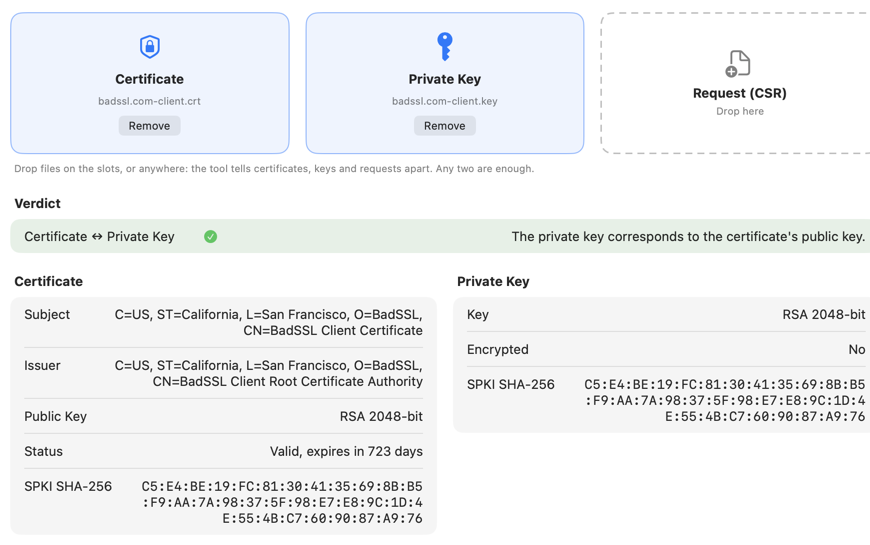
- Match: three drop slots and one verdict on whether a certificate, a private key and a request belong together.
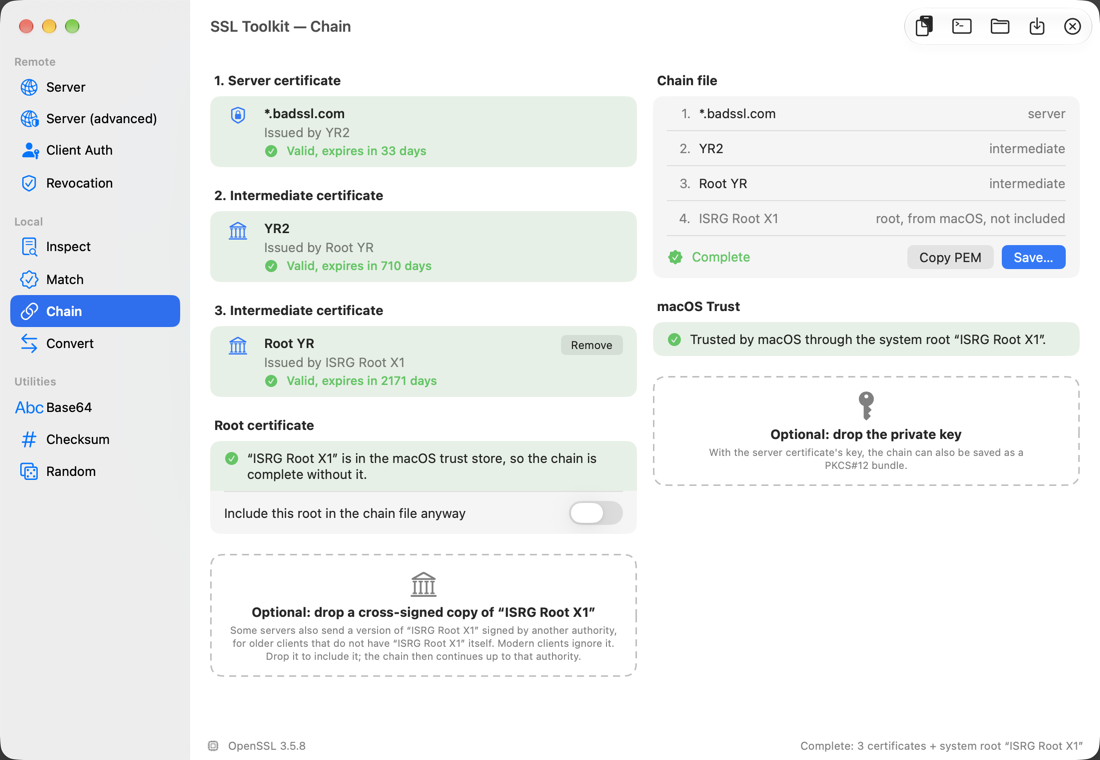
- Chain: drop everything in any order; the app orders the certificates, names what is missing and fetches every missing issuer in one click from the AIA URLs, then saves a chain file, a passphrase-protected PKCS#12 or a Java keystore.
- Convert: PEM, DER, PKCS#12 and JKS in every direction, with modern or legacy PKCS#12 encryption, or combine certificates into one chain file.
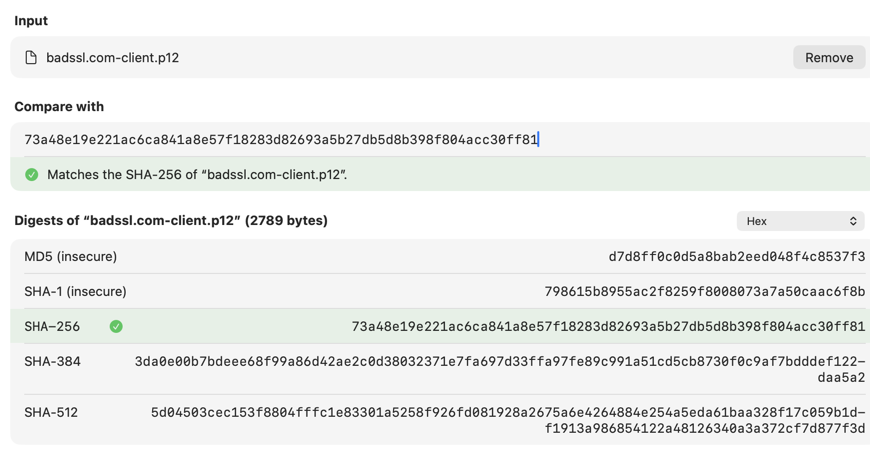
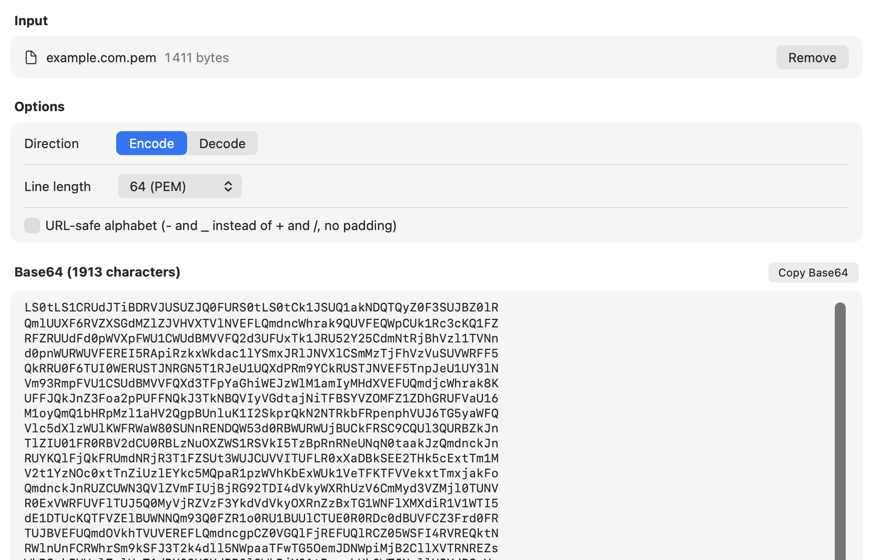
- Utilities: Base64 encodes a file or text (one line, PEM or MIME line lengths, URL-safe alphabet) and decodes leniently, opening a recognised certificate straight in Inspect; Checksum computes MD5, SHA-1, SHA-256, SHA-384 and SHA-512 of a file of any size or of text and turns the row green when the pasted hash matches; Random draws hex, base64 or passwords from the system's cryptographic generator, entropy stated.
- Every check is a row with a symbol, a sentence and a green, orange or red tint, so a card with mixed verdicts shows each on its own.
- Every report exports as text or copies to the clipboard, and every tool shows the equivalent
openssl,base64orshasumcommand line for the Terminal. - Two engines: OpenSSL 3.5 and LibreSSL 4.3 are both built in, each in its own sandboxed helper; Settings chooses which one answers.
Requirements
macOS 26 or later. Sandboxed; nothing else to install. Network access only for the checks you ask for.
Credits
SSL Toolkit includes OpenSSL 3.5, distributed under the Apache License 2.0, and LibreSSL 4.3, whose additions are ISC-licensed and whose inherited code stays under the original OpenSSL and SSLeay licences. This product includes software developed by the OpenSSL Project for use in the OpenSSL Toolkit, and cryptographic software written by Eric Young.